Smart Cash & Carry
A grocery storefront where search and category filtering swap the entire page between a curated home layout and a live results view — instantly, with no transition to wait out.
- Built for
- Smart Cash & Carry
- Modes
- Curated + live results
- Aisles
- Eight, plus virtual deals
- State
- Persisted cart & favourites
Overview
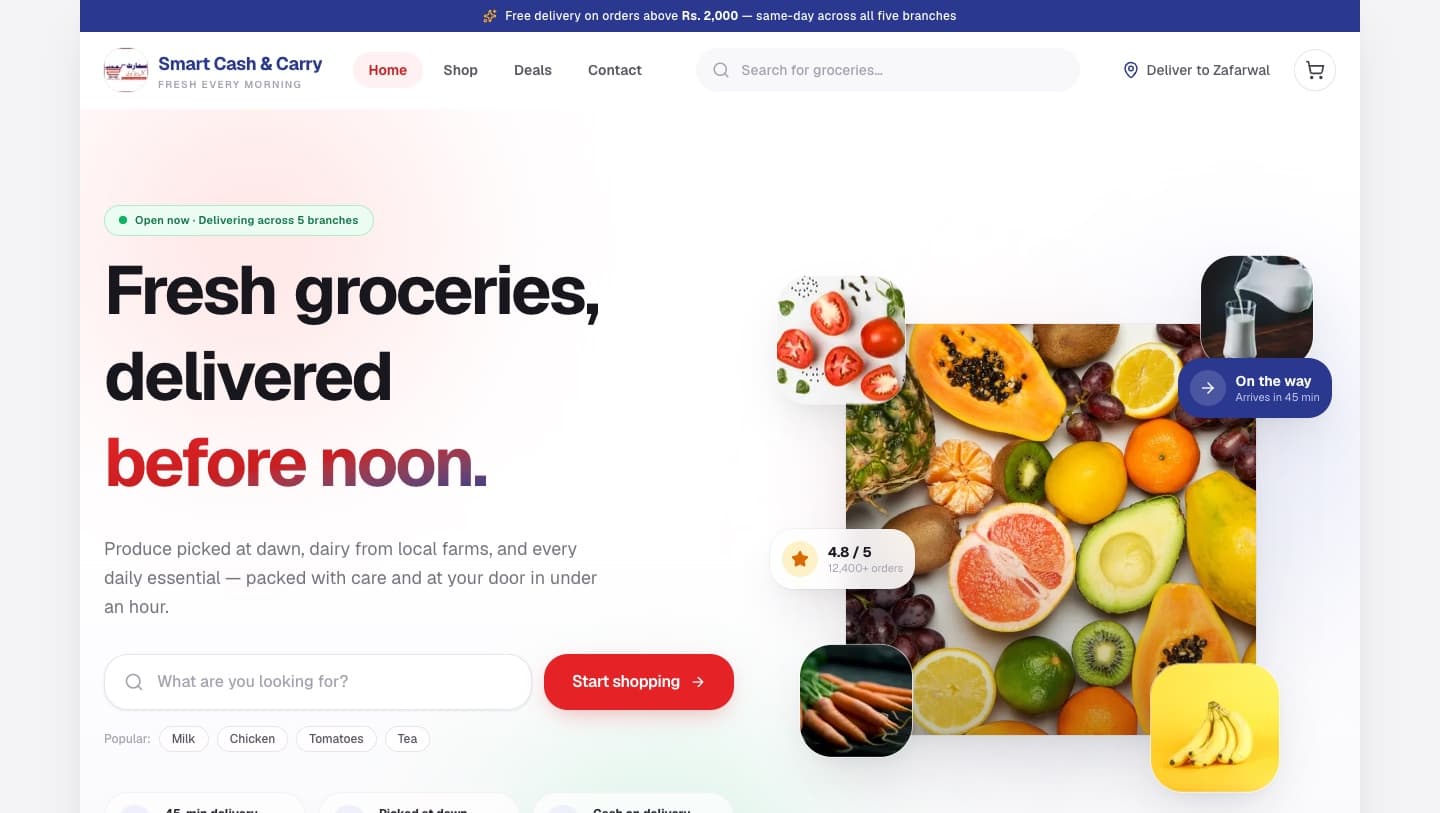
A supermarket and grocery web experience built around finding things quickly. The homepage runs two modes from one route: a curated merchandising layout of deals, fresh picks and essentials, and a filtered results view driven by search text and category. Cart, favourites and checkout are wired through a persisted store.
Objective
Make product discovery feel immediate on a catalogue where most visits start with either a search box or an aisle.
Problem and opportunity
Grocery shopping online is a repeat, low-patience task. Anything that puts an animation between a keystroke and its results is friction, but the page still has to feel considered rather than utilitarian.
Solution
Search and category filtering resolve into one derived list, and the home-to-results swap is deliberately instant — no exit animation holds the view while someone is typing. Each view still animates its own contents in, so the page keeps its polish without ever making the shopper wait.
Technology
- Framework
- Next.js 16React 19TypeScript
- State
- Zustand (cart, favourites)
- Motion
- Motion / Framer MotionLenis smooth scroll
- Performance
- TanStack Virtualnext/image
- Styling
- Tailwind CSS 4lucide-react
Key features
What is actually in the build.
- 01
Search and aisle filtering in one pass
Query text and the selected category resolve into a single derived product list. Hot Deals is a virtual category — it matches anything currently discounted rather than a fixed tag.
- 02
Two-mode homepage
With no filters, the page is a merchandising layout: today's best deals, fresh vegetables, daily essentials and biggest savings. The moment a filter is active it becomes a results grid with a live count and a clear-filters control.
- 03
Cart, favourites and checkout
A persisted Zustand store backs the product cards, a floating cart bar that follows the page, and a multi-step checkout modal.
- 04
Merchandising components
Banner carousel, category ribbon, horizontal product rails, trust bar, feature strip and testimonials — the vocabulary a real storefront needs, built as reusable pieces rather than one-off markup.
- 05
Considered empty state
A no-results view with a suggestion and a route back to browsing, rather than a blank grid.
On a phone
Designed for the small screen too.
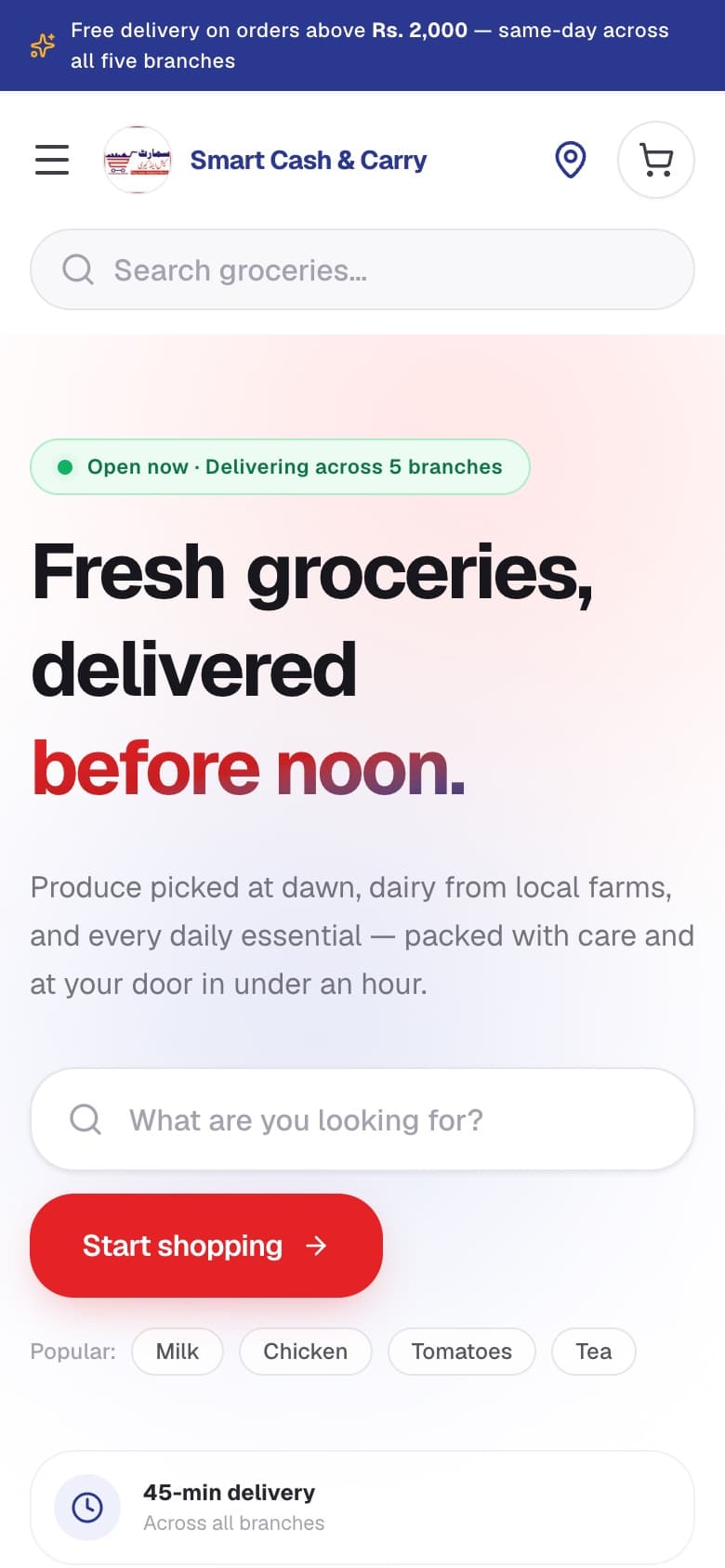
Captured from the live deployment at 390 × 844. The mobile layout is composed rather than scaled down — navigation, density and the primary action are all decided again for the narrow viewport.
UX and interface decisions
Instant where it counts
The mode swap carries no exit animation. An AnimatePresence transition here would hold the old view on screen through every keystroke, and stalls outright if the frame loop is throttled.
Scroll that lands on target
Jumping to results is routed through the smooth-scroll instance rather than native scrollIntoView, which otherwise fights the animation loop and drifts past the anchor.
Density that survives a phone
Two columns on small screens, five on desktop, with card content that stays readable rather than shrinking proportionally.
Technical approach
Derived state, not synced state
The filtered list is computed from query and category with useMemo. There is no second copy of the catalogue to keep in step.
Hydration-safe persistence
The floating cart bar only appears once the persisted cart has actually loaded, so the server render and the first client render agree.
Prioritised imagery
Above-the-fold product images are marked priority; everything below is lazy, with the responsive sizes each grid actually renders at.
Challenges
The parts that needed a second attempt.
Animation that never gets in the way
The interesting problem was deciding where motion is not allowed. Reveal and stagger on content, nothing at all on the search-to-results boundary.
One layout, two jobs
The same route has to work as a shopfront and as a search tool. Categories stay mounted in both modes because they are the primary navigation in each.
Next project
School Management Platform
Ghazali Public School · Website & portal prototype